
- Log in to Google Analytics: https://analytics.google.com/analytics/web/
- Click the gear icon at the bottom left of the screen to enter the Admin console
- Make sure the relevant property is selected at the top left of the screen
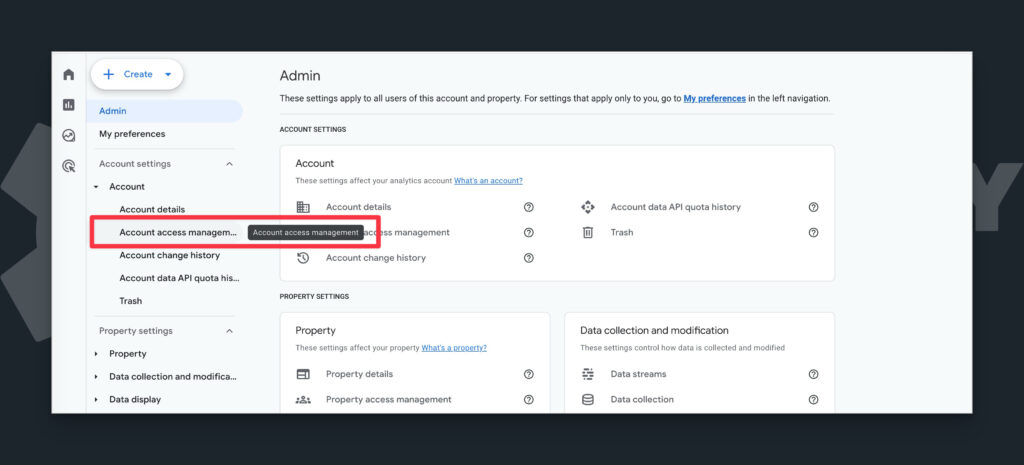
- Expand the Account section and choose “Account Access Management”
- In the flyout screen, click the blue plus button at the top right, then click “Add Users”
- Under “Email Addresses,” enter [email protected]
- Select either “Administrator” or “Editor” in the Roles list
- The former gives me full control over the account
- The latter gives me almost-full control.
- If you need me to manage users or add other properties, choose Administrator. Otherwise, choose Editor.
- Click “Add” at the top right
- Send me an email or a text letting me know you added me.


